

next. i got the hang of it.
** 2nd Annual - Joe Kines Fark-Off Challenge **
103,555 Views |
540 Replies |
Last: 14 yr ago by SpreadsheetAg


Josh, if you can maintain the 800x600 pixel size it'll be easier to add to it. I resized your last one.
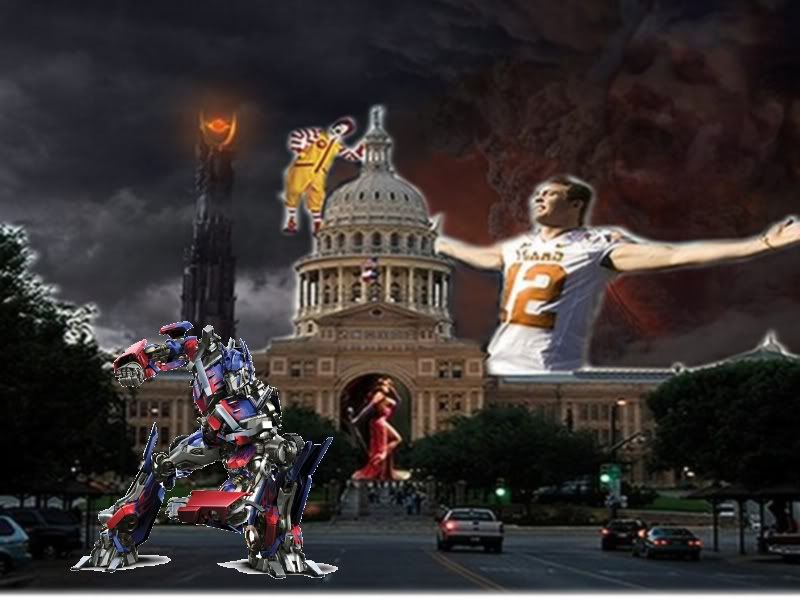
And yes, you've got the hang of it - and I'm LOVING the Mordor. ROFLMAO!!
And yes, you've got the hang of it - and I'm LOVING the Mordor. ROFLMAO!!
how do i maintain it? thats my biggest problem when i load/paste images into GIMP. I've tried resizing them, but idk how?
At this point, don't worry about it. I'm not familiar with GIMP but I'm sure we can resize it back up until someone who knows the program can tell ya.
Nonetheless, well done. I bet it feels like Mordor in Austin today. Excellence!!!
Nonetheless, well done. I bet it feels like Mordor in Austin today. Excellence!!!
ok sounds good. i figured it out, but the images get realllllly grainy.
Anyone else know how to do it correctly? TIA
Anyone else know how to do it correctly? TIA
next

Josh if you are using GIMP, and you directly copy and Paste the image from texags (right click image in TexAgs from IE browser) then open GIMP, and hit CTRL-V to paste the image in... you should not have to resize...
If you notice on the bottom of the GIMP window, it will tell you what size the image is. If you need to resize the image go to IMAGE >> SCALE IMAGE >> then resize. Make sure the ChainLinks are connected to it keeps the same aspect...
GIMP should not resize the image for you... if you are copying the image direct from TexAgs and it's 800x600, it will show up 800x600 in GIMP...
Remember each time it needs to be resized it loses image quality and becomes more pixelated.
If you notice on the bottom of the GIMP window, it will tell you what size the image is. If you need to resize the image go to IMAGE >> SCALE IMAGE >> then resize. Make sure the ChainLinks are connected to it keeps the same aspect...
GIMP should not resize the image for you... if you are copying the image direct from TexAgs and it's 800x600, it will show up 800x600 in GIMP...
Remember each time it needs to be resized it loses image quality and becomes more pixelated.
ah I see now, I'm not sure where i was screwing that up. Thanks for the pointer!
ttt...hillarious!
next

ROFLMAO! Nicely done my friend!
Next

hahaha, MNC clothed-streaker!
[This message has been edited by SpreadsheetAg (edited 1/12/2010 9:08a).]
[This message has been edited by SpreadsheetAg (edited 1/12/2010 9:08a).]
next

next
Added 2: All that smog from Mordor brought in our friend AlGore!

fixed
[This message has been edited by SpreadsheetAg (edited 1/13/2010 10:44a).]
fixed
[This message has been edited by SpreadsheetAg (edited 1/13/2010 10:44a).]
cieling cat covered up my list eater fark!
didn't see her there... oops! You want me to move it?
ha no its all good, no reason to go to all that trouble
Wow I never saw Listy in the cloud. Nicely done!
As an observer who is getting a great deal of entertainment from this thread, I would strongly support moving the kitty so that the greatness of listeater in the cloud is not lost. I died when I saw her.
[This message has been edited by Texas Aggie '99 (edited 1/12/2010 6:10p).]
[This message has been edited by Texas Aggie '99 (edited 1/12/2010 6:10p).]
So did I, it was great work.....
Okay, okay... I'll make it right... one minute
[This message has been edited by SpreadsheetAg (edited 1/13/2010 10:44a).]
[This message has been edited by SpreadsheetAg (edited 1/13/2010 10:44a).]
[fixed]
Even on a day like today we cant let this slip...
We need to do a scene change that encorporates the Coaching Carousel Madness!!!
Motion to Scene Change
Seconded. GO.
Please incorporate the mug shot of the tu player that got arrested. Thanks.
Featured Stories
See All
51:11
17h ago
7.3k
Baseball Thoughts: Ags weather storms of different kinds vs. Texas
by Ryan Brauninger
18:07
19h ago
6.2k
13:44
18h ago
4.8k
Rex Racer
Regents name Dr. Susan Ballabina as sole finalist for Texas A&M President
in Billy Liucci's TexAgs Premium
4
dermdoc
This weekend was one of the most significant in 40+ years of any Aggie sport
in Texas A&M Baseball & Softball
3